Subscribe with Email

Wednesday, November 1, 2017

Wednesday Weekly 5 Under $5 - 11/1/17

Every week I put together a list of 5 great products from members of The Best of Teacher Entrepreneurs Marketing Cooperative (TBOTEMC) with the requirement that each product must be less than $5.  With a variety of subjects and a wide range of grades, there just might be something that you can use, so continue to read below and see!

In addition, if you're a seller on Teachers Pay Teachers (TpT) that would like to join the Wednesday Weekly 5 Under $5 team, click here to get more information about joining TBOTEMC.  Feel free to e-mail me with any questions, as I'd be happy to help in any way possible.


By Learning Harbor Resources for Teachers
Math; Grades 1-2
  

This Interactive Self-Correcting use with Google Classroom™ game will help students add doubles and doubles plus one equations. This is important for developing mental math skills. The resource is holiday Nutcracker themed, and uses the great technology tools offered by Google! Get ready for the holidays right, and check it out!
  

By A Teacher's Teacher
Writing/ELA; Grades 7-10


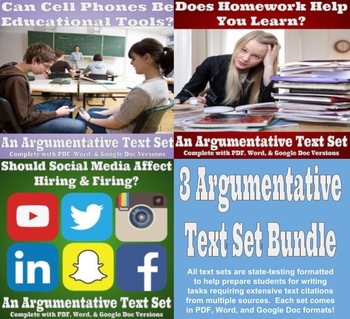
Three great argumentative text sets in one great discounted bundle! With an emphasis on preparing students for state testing and performance tasks that have become a norm in formats such as AIR and PARCC, all three of these argumentative text sets provide multiple sources (3 or 4 each) with a task formatted to be much like what your students will see on their real state assessments! Students will be interested in the topics, while also learning to rely on the information provided in the text sets, rather than their own personal opinion.


By Spatial Projects
Science; Grades 1-3


Raccoons are fascinating animals and kids love learning about them! This resource is a complete nonfiction unit for your class. It includes a craft pattern, lap book guide, nonfiction unit booklet, worksheets, and answer key.


Thanksgiving Long Division Math Riddles - $2.50
By Snyder Classroom
Math; Grades 3-6


Engage your students with these Thanksgiving themed long division math riddles worksheets! Students solve long division problems, each problem has a letter assigned to it and the letters help to solve the riddle. Sara, from Snyder Classroom, has shared that she loves to hear her students giggle as they solve the riddle at the end of the worksheet. It is a great way to combine fun and learning! Make Long Division FUN!

 
Verb Tense Practice for ELA and Speech Therapy - $3.00
By Susan Berkowitz
ELA/Speech Therapy; Grades 1-4


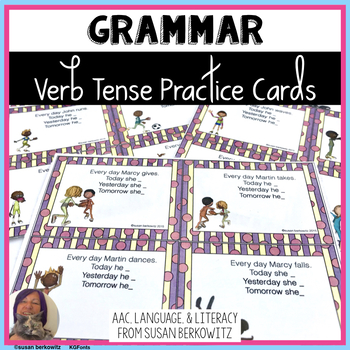
Practice verb tenses in speech therapy or language arts class with this set of action phrase cards. Here are 72 cards to use to practice verb tenses, both regular and irregular. Each card has an action pictured and an initial verb phrase/simple sentence.


Other WW5U5 Team Members on TpT to Visit:
Anchors & ABCs
Believe to Achieve by Anne Rozell
Reading Spotlight
Sally Hansen - Purposeful Plans
Spatial Projects
Aussie Star Resources


As always, I encourage comments below and any ideas or suggestions by tweeting me @ATeachersTeach or contacting me via e-mail.

A Teacher's Teacher

Wednesday, October 25, 2017

Wednesday Weekly 5 Under $5 - 10/25/17

Every week I put together a list of 5 great products from members of The Best of Teacher Entrepreneurs Marketing Cooperative (TBOTEMC) with the requirement that each product must be less than $5.  With a variety of subjects and a wide range of grades, there just might be something that you can use, so continue to read below and see!

In addition, if you're a seller on Teachers Pay Teachers (TpT) that would like to join the Wednesday Weekly 5 Under $5 team, click here to get more information about joining TBOTEMC.  Feel free to e-mail me with any questions, as I'd be happy to help in any way possible.


By The Teacher Down the Hall
ELA; Grades 3-5
  

35 Bingo Cards included! Project the slide and your students will love finding the correct word with a prefix on their Bingo cards! Instructions for Bingo included. Prefixes include: anti-, dis-, in-, mis-, un-, non-, pre-, sub-, and many others!
  

By Sally Hansen - Purposeful Plans
Writing/ELA; Grades 6-12


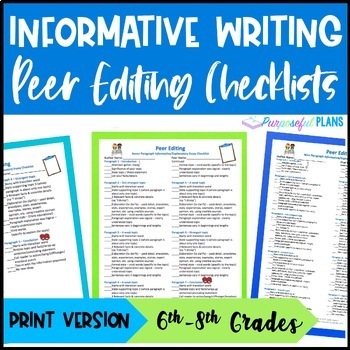
The 3 peer editing checklists are very detailed (for a 5, 7, & 9 paragraph essay) created for the progressing writer. Excellent for mixed or leveled classes to give students individualized instruction. Practical and easy to understand. Students will know what is expected of them and they will have opportunities to reflect on their work.


By Bev's Learning Hut
Math; Grades PreK-1


These space themed counting number mats are a fun way for students to build one to one correspondence, number recognition, and fine motor strength at the same time by using various counters with the mats. It’s perfect to use in math centers. Just print, laminate and off you go!


Buenas: Parts of the Body in Spanish - $2.99
By Socrates Lantern
Spanish; Grades 5-8


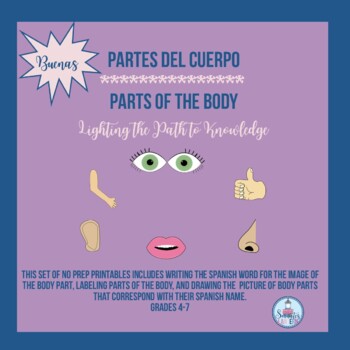
This colorful set of worksheets are just what you need to reinforce parts of the body in Spanish. There are five worksheets that work on this key skill, including the use of image matching and having students draw their own images.

 
By Reading Spotlight
ELA; Grades 1-8


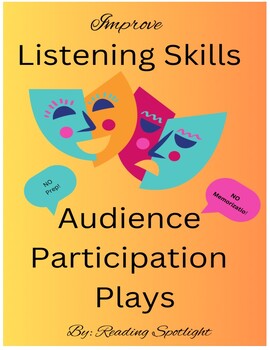
These four plays contain short, GROUP parts for an entire class. After parts are assigned, the teacher reads the 5-10-minute story, and the student groups provide the appropriate words for their roles. The set also includes more ideas for other activities to improve listening skills. Really fun! Enjoy the smiles!


Other WW5U5 Team Members on TpT to Visit:
Learning Harbor Resources for Teachers
Fourth Grade Frenzy
Anchors & ABCs
A Teacher's Teacher
Kamp Kindergarten
Snyder Classroom
Believe to Achieve by Anne Rozell

As always, I encourage comments below and any ideas or suggestions by tweeting me @ATeachersTeach or contacting me via e-mail.

A Teacher's Teacher

Thursday, February 2, 2017

Google Forms for Teachers


"I'll just Google it." That phrase, and it's variations, is most-certainly stated hundreds of thousands of times a day - and certainly I use it a fair share of the time. The Google search engine is a powerful and simple tool. Similarly, the Google "suite" of apps (Docs, Slides, Sheets, Classroom) are amazingly useful. Initially released over a decade ago, Google accounts in businesses, and especially schools, have become increasingly the technology of choice during the past 5-7 years. In line with that movement, the school district in which I teach moved away from Microsoft Office, fully replacing it with Google Apps about 6 years ago. While some of my colleagues were resistant, choosing to type up items on their home computers and printing them off there to photocopy at home, I chose to dive right in, knowing there was no looking back (and I simply didn't have enough money for ink cartridges and paper at home).

I certainly use Docs and Slides more than any of the other apps. My Daily Vocabulary charts and slideshows (examples here, here, and here) utilize those avenues (though I chose to download, save, and provide such items in my TpT store as Microsoft files, since such files can be used by non-Google Teacher's as well as uploaded and used in Google Drive). With that being said, Google Forms has, over time, certainly found its place in my educational world in a variety of ways, whether it be through record keeping, quizzes, or formative surveys.

Parent-Contact Log:
My first exposure to Google Forms came when I was searching for a time-saving way of recording parent contacts. Administrators at my school are proponents of making a certain number, or more, contacts with parents each month, and while I had created the paper-and-pencil version of the parent-contact log that my school was using, I still found it tedious and not very beneficial. The solution to this ended up being a Google Form version of a Parent-Contact Log. In addition to making it easy to enter in the information for each contact made, Google Forms allowed me to create a spreadsheet for all the results, which I shared with all the teachers and administrators in my building. This allowed other teachers to view contact made, and even search to see if "Student Doe" had been a behavior problem in any other classes. As an added bonus, I never have to remember to turn in monthly contact sheets, since the Forms results spreadsheet has been shared with my principal and he can double click the file to browse my contacts made whenever he so chooses.

Sample Parent-Content Form (see link to view as webpage)


Quizzes:
Many teachers have noted that Google Forms added the function of serving as a quiz medium in the last year or so. There are plenty of tutorials about using Forms quizzes on blogs, YouTube, and other sites, so there is no reason to run the "how-to" here. However, I do want to point out that Google has done a great job with this. Forms quizzes allow for multiple-part questions as well as questions that require selecting multiple items to get the question correct (e.g. "Choose the three quotes that best support a central idea of the importance of friendship."). There are also add-on widgets withing Google Forms, such as Flubaroo, which allow for quick averaging of questions and other functions. Perhaps the best function of Google Forms quizzes, at least for me, is the quick feedback of which questions students are struggling with the most. If you're worried about students opening additional tabs during assessments for "illegal research" (i.e. cheating), I share those same concerns. I don't, for that reason, use Forms for vocabulary quizzes. If you're worried about other issues, such as students "peeking" at their neighbor's computer, Google does allow for randomizing the order of questions, which can help quell that concern, at least a bit.
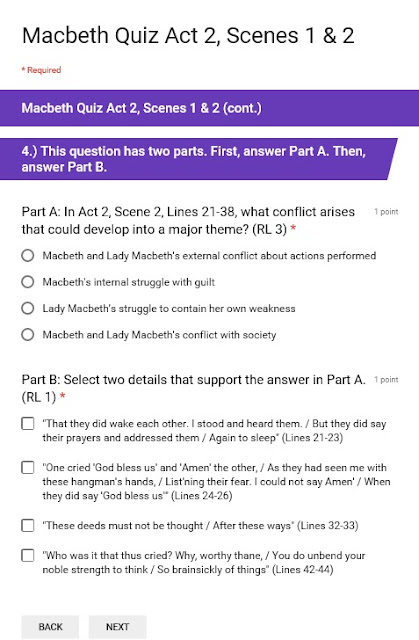
An example of a Google Forms Quiz


Formative Surveys:
I just started using Google Forms in the manner I'll describe below; however, I have already found it so beneficial that it was actually the driving force behind writing this blog. This semester, I have started having students complete what I have termed "Weekly Google Check-ins." This idea utilizes a simple survey approach. After students enter in their first and last names, and bell they have my class, they are prompted to answer three short questions. The first question is a multiple-choice one, asking them about things such as strengths, weaknesses, or areas of confusion. This first question can also relate to the text or concept on which we have been working in class. The second question is a rating of 1-5 that can be a general topic or about the activities/texts we've been working with recently. The last question is a short response in which students share something not necessarily related to school (e.g. "Tell me about something non-school related that has been on your mind."). While the first two questions serve purposes of gauging student comfort and understanding, and they can also be used for grouping, it is this third question with which I've really been intrigued. I heard from a video clip a few months ago about how much more students will open up via technology versus paper-and-pencil writing. Although some student responses are very general (e.g., in replying to the question mentioned above, some students said they had been thinking about "sleep," or a movie they wanted to see), other students shared deeper ideas such as they had been concerned with how their older sister had been making some poor choices or the topic of genocide had been on their mind to look into. This third question, then, has allowed me to get to know students in a much more personal way.


There are certainly more uses for Google Forms that I have utilized in my class. For example, a colleague and I just used a professional day to put together a very intricate survey for our school's entire student body to choose speakers for an upcoming college/career day. Doing so will allow us to sort results in the corresponding spreadsheet and then individually schedule all 650 students. Of course, that example is a very specific and unique one, but it speaks to the wide variety of uses and limitless potential areas of utilization that Google Forms can address.

Well, that's it for now. I encourage you to share with me, via commenting below, your own experiences, uses, and potential ideas related to Google Forms.  Any and all feedback is always appreciated!

Until next time, keep teaching your students with all the passion that I know you bring to each and every day in the classroom!

-A Teacher's Teacher

Monday, January 9, 2017

Classroom Charging Station

I've been teaching high school at the same school in rural southwest Ohio for the last twelve years. During that time much has changed, but one of the constant struggles, the prevalence and distraction of personal devices, has only seemed to grow. Much like you, perhaps, I have tried many different approaches regarding phones and music devices: trying to be the "cool" teacher that allows students to use them unless they "cross the line" (whatever that means), being the no-nonsense tough guy, and everything in between. The one commonality between all my past approaches has been the students were left responsible to keep the devices away or use them responsibly - in other words, they had the devices in their pockets or book bags.


Toward the end of last year, a different idea came to me, and I gave it a "test drive" during state-mandated testing, since security guidelines from the state required students to be device-free. The plan was to have a cubby-like system, similar to what students have in lower grades, to store their devices. This allowed for organization, while also having the phones and iPods out of sight (and hopefully, to whatever degree it was possible, out of mind). I looked around the Internet for possible types of furniture to use, and even had my mind set on an old card cataloging system as the way to go. That was, of course, until I found out those old wooden library catalog cases went for hundreds, often thousands, of dollars as collectible antiques.

Opting, instead, for more of a "group cubby" system, I decided to use an unused piece of furniture from my basement that looked similar to a shoe rack and had 8 equal-sized compartments. I placed a small plastic bin from the dollar store in six of the areas, leaving two larger compartments for tablets or laptops, in case students were to bring such items to class. On the front of the six bins I placed a label with seat numbers (Seats 1-5, 6-10, etc.), since all the seats/desks in my room are already numbered for various purposes. Students were told in advance that they would be expected to "check" their devices when entering the classroom. For testing purposes, I didn't have any resistance from students, and things went perfectly.


I knew that, coming into this year, I really wanted to have something to "sell" students on the idea of checking their phones in the baskets at he door. To achieve this, the same thought kept coming up: provide a way for students to charge their devices while in the cubbies. Essentially, make it so they check their devices into a charging station. Some funds from our distric PTO became available, and I ordered two 7-port charging hubs (https://www.amazon.com/Plugable-Charging-Adapter-Support-Android/dp/B00L2LK164). At first I asked for donations for charging cords, but didn't have much luck. The assistant principal did donate several cords that had inputs for multiple devices, but many students had devices with cases, and the inputs wouldn't fit. Faced with a funding issue, an administrator helped put me in touch with a contact at a local energy company and I was able to pitch to her the idea of sponsoring the charging station (with recognition on the side of the station, of course). I ordered ten Amazon Basic Lightning cords and ten Amazon Basic Android-compatible cords with the sponsorship donation.  I was able to creatively mount the hubs under the chalk/marker tray behind the cubby system and then weave them through the baskets in each cubby area (see picture).


While the amount of cords ordered does exceed the current amount of slots I have between my two 7-port charging hubs, it also allows for backups/replacements, if necessary, or the chance of possible expansion, adding a third hub, depending on student interest and usage (and funding) following this year.  As things stand now, I have one Apple-compatible cord and one Android-compatible cord in each plastic bin (shown in picture). 


Of course, I'm still in the first go-around with this device check-and-change approach, and I'm sure there will be the occasional issue or obstacle to overcome at different points throughout the year. However, I wanted to share what I have come up with, and what seems to be successful with my own students and classroom, thus far, in the hope that it might help some of you. Half-way through the year, it seems to have been a great success.  It's been interesting to see students who clearly are arriving earlier in the class-change between bells just to get the charging cord that works for their device in their seating-group's basket. I've even had students come by my room and ask, during a bell they don't have class with me, if they could charge their device (to which I allow them to do ask, while also thinking, "you're welcome...whichever teacher has that student this bell").

I encourage you to share your own experiences, thoughts, and/or reactions to the topic of device classroom management. I'm more than happy to reply to any questions you have, as well.

Until next time, keep teaching your students with all the passion that I know you bring to each and every day in the classroom!

-A Teacher's Teacher